For you as the operator
Quality profiles, without having read the TRaSH Guides.
A good quality profile is forty decisions about resolution, audio tracks, release groups and scores. The TRaSH Guides explain them all, as a reference rather than as instructions. If you procure through nexcrate, you pick only the version in Nexview, say Full-HD or 4K. Profiles, folders and naming live in nexcrate, with an assistant working on the same principle. If you use Radarr and Sonarr, you set them in Nexview, and that is exactly what the tools further down are for. The pictures show a sample installation with Radarr and Sonarr.
With nexcrate
You pick the version, nexcrate takes care of the rest.
With nexcrate there are no quality profiles to build in Nexview and no root folders to choose. When requesting, you pick the version nexcrate offers, for example Full-HD or 4K. What makes up a version lives in nexcrate: its profile, its default folder, its naming and its wait time. The recycle bin belongs there too.
Nexview shows what it needs of that: the versions of a title, each with its state, and the reason for what it is currently waiting on. You set who may request which version under Settings › Services › nexcrate, and there is more on it under approvals.
nexcrate builds the profile with an assistant: it asks for the resolution, for what should apply until that is available, for source and audio tracks and for the largest file you want. From that come qualities, custom formats, scores and sizes, as the TRaSH Guides recommend them. If you want to set every figure yourself, you choose “By hand” there. Profiles from a running Radarr or Sonarr can be read in.
The details are on nexcrate’s project site under Versions and in the chapter Setting up profiles.
Good to knowThe “Radarr”, “Sonarr” and “Quality profiles” tabs under “Settings › Services” do not exist when running with nexcrate. A tab that leads nowhere would be worse than none. Everything further down this page applies to Radarr and Sonarr.
With Radarr and Sonarr
Profiles live in Nexview, the instances are a second question.
Under Settings › Services › Quality profiles there are four sections: “Profiles” for creating and distributing, “Inventory”, “Naming” and “Link-back”. The tab appears as soon as there is a Radarr or Sonarr instance a profile could be put on.
A profile does not belong to one instance here. It lives in Nexview, and you decide separately which instances it is put on with “Distribute”. The same profile can sit on several and be in a different state on each if someone has made changes by hand there. The state is shown on the profile: “Up to date”, “Update available”, “Changed by you”, “Conflict”, “Not installed” or “Deleted in Radarr”.
The building blocks come from the TRaSH Guides and are bundled, with a date. “Fetch latest” gets the newest when you want it. Nothing happens by itself, and without a network everything keeps working. With “Save the store” the whole stock can be saved as a file and read in elsewhere with “Read a store”. Whoever sets up a second installation does not enter the profiles again.
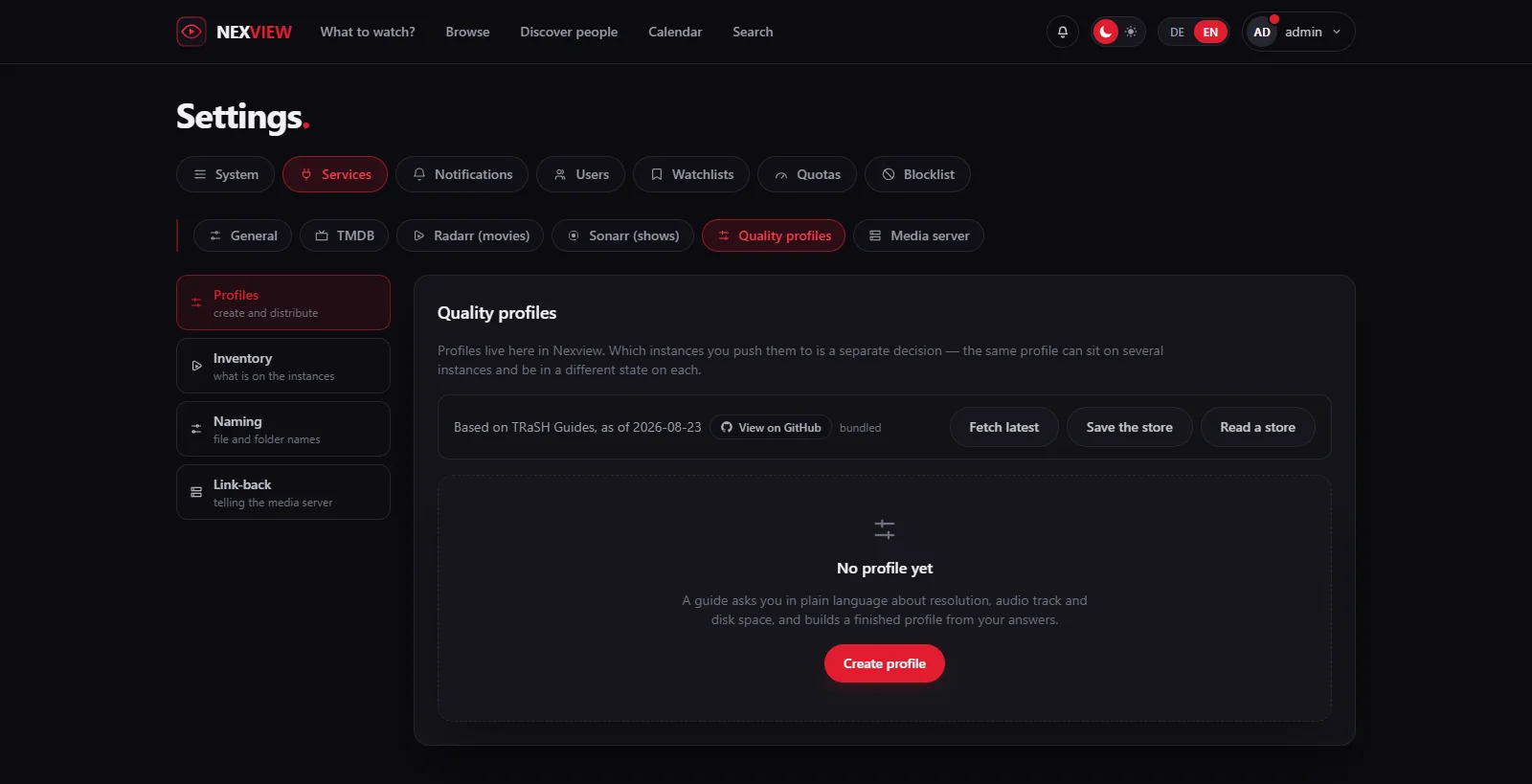
Good to knowOnly profiles that Nexview created are listed. Whatever you built yourself in Radarr or Sonarr stays untouched and does not appear here. Under “Inventory” you still see it.
The assistant
Six questions instead of forty decisions.
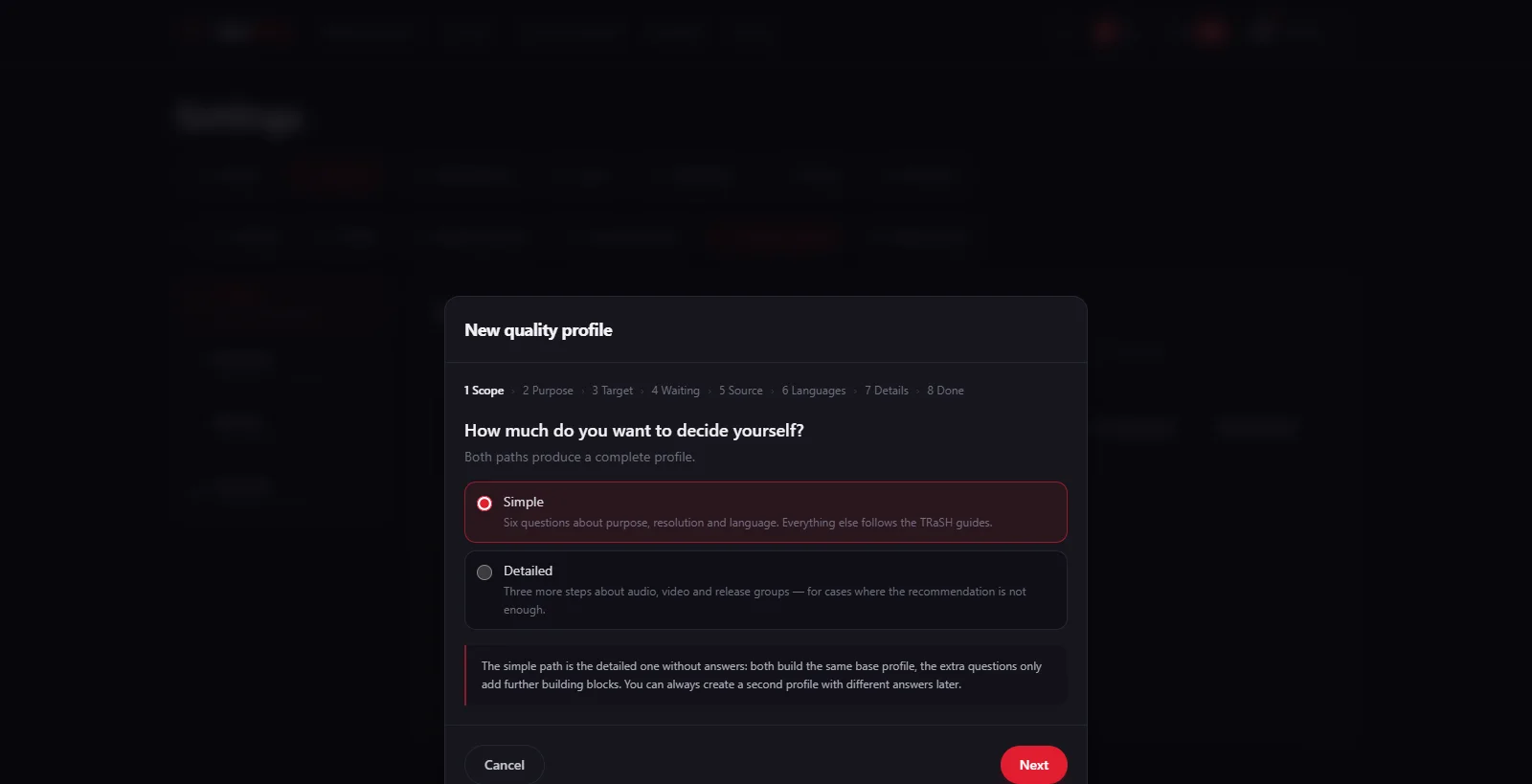
“Create profile” starts the assistant, and it asks in everyday language: “What is this profile for?”, “What resolution should you end up with?”, “What if it is not available yet?”, “How good should the source be?”, “Which audio tracks do you need?” and, under the details, “When is a film good enough?”. From the answers a complete profile with scores emerges.
Two paths lead to the same result. “Simple” asks the six questions and takes the guides’ recommendation for everything else. “Detailed” adds three steps about “Audio”, “Video” and “Origin”, for cases where the recommendation is not enough. Both build the same base profile, and the extra questions only add further building blocks on top. So you cannot box yourself in by taking the short path, and a second profile with different answers is possible at any time.
The answer to “When is a film good enough?” really takes effect: “Satisfied early” stops as soon as language and resolution are right, and re-downloads less. “As recommended” upgrades up to the best sensible version and then stops.
Inventory
What is really on the instances, including what Nexview never touched.
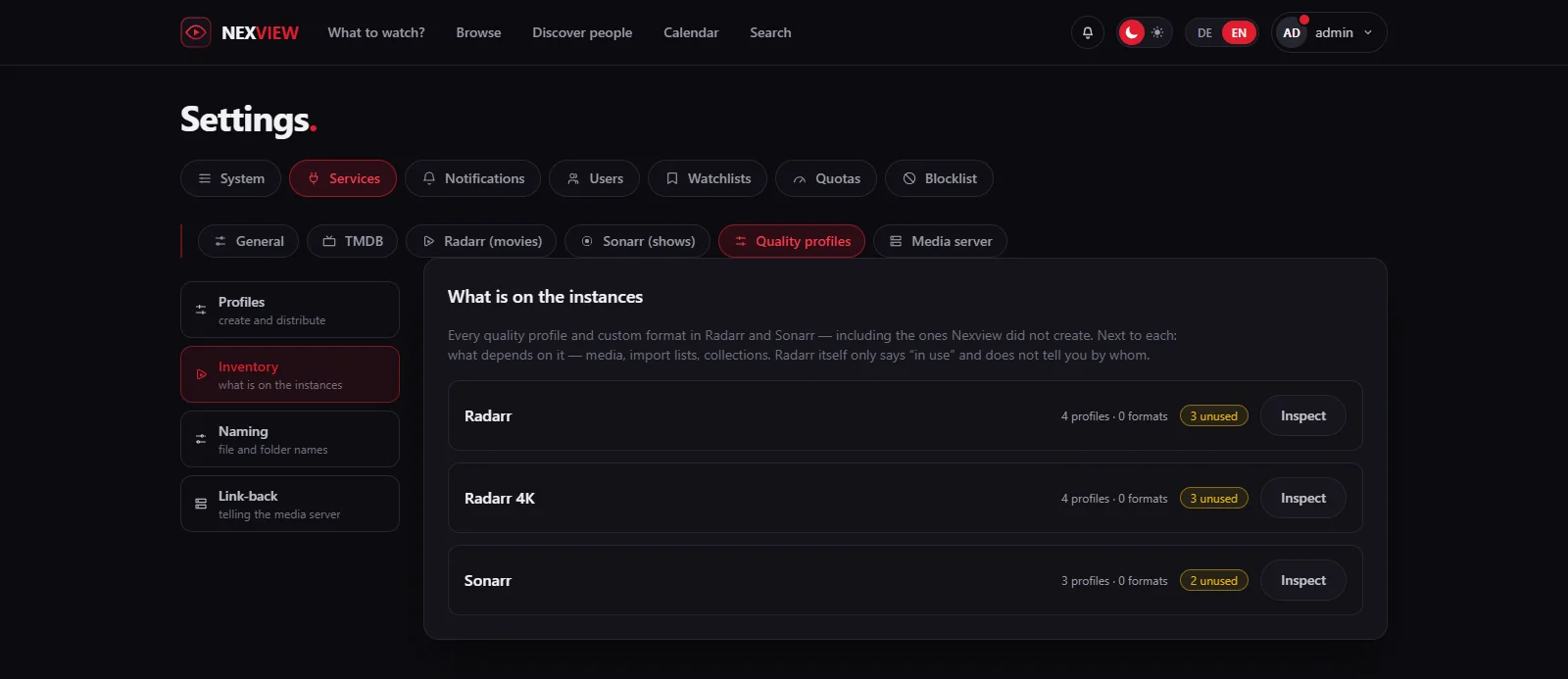
Everywhere else Nexview shows only what it created itself. Under “Inventory” it shows everything: every quality profile and every custom format in Radarr and Sonarr, including those from before.
The reason is a concrete annoyance. A foreign profile that occupies a name or blocks a deletion used to be invisible, and you searched in Radarr without knowing for what. When you try to delete, Radarr says only “in use” and does not tell you by whom. Nexview puts beside it what hangs on it: media, lists, collections.
Plus the figure you look for when tidying up: how many profiles on an instance lie around unused. “Select everything unused” and “Delete” clear them away. Every entry is checked once more immediately before deletion, and whatever has come into use in the meantime stays. If media hang on a profile that should go, “Move media” puts them on another. The files stay where they are, only the assignment changes, and the dialog warns that the new profile scores differently and can trigger downloads.
Naming
What is in the file name survives the loss of the database.
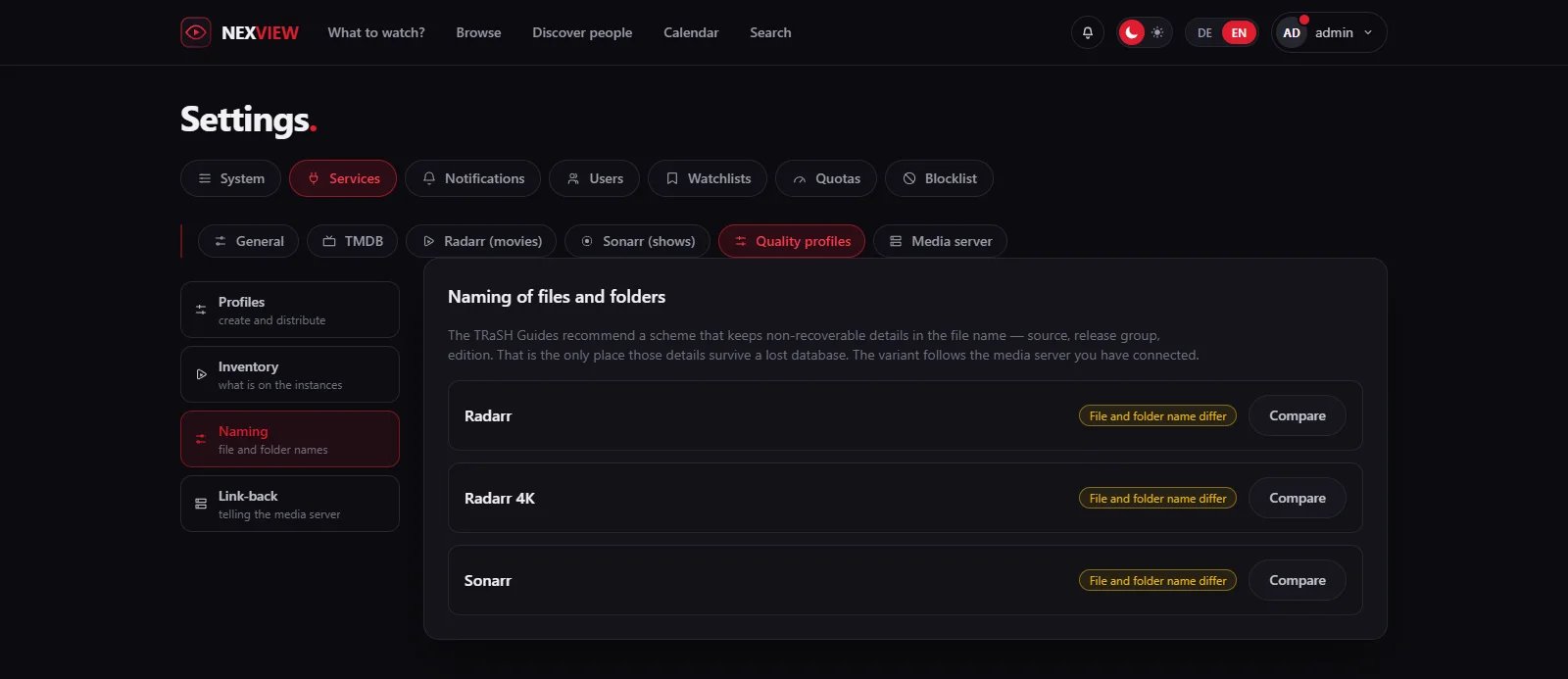
The TRaSH Guides recommend a naming scheme that writes the non-recoverable details into the file name: source, release group, edition. Those details are in no other file. If the database is lost, they are gone unless they are in the name.
Nexview compares your current scheme with the recommendation, shows them side by side with “Compare”, and adopts it on request with “Apply”. Nothing is adopted that you have not seen. Which variant is recommended depends on the media server you have connected: Plex, Emby and Jellyfin do not read names the same way.
A new scheme initially applies only to new files. With “Also rename existing files” Nexview has Radarr and Sonarr rename the existing files too, and “Apply and rename” carries it out. Folders are left alone, a new folder format applies only to titles added from then on. Running seeding breaks unless the files are linked in by hardlinks, and the media server learns about it through the link-back.
Link-back
Radarr and Sonarr can tell your media server.
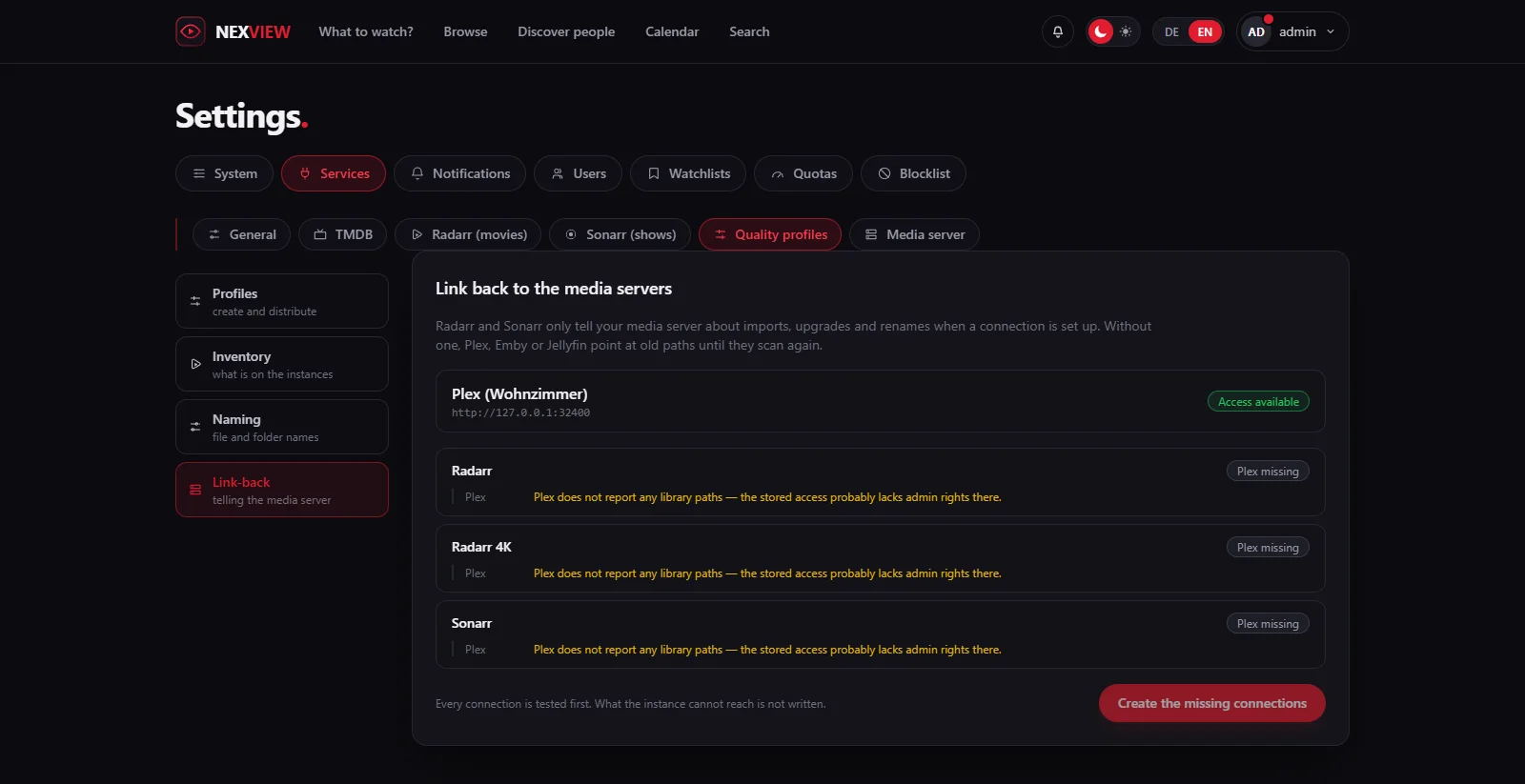
Radarr and Sonarr report imports, upgrades and renames to your media server only if a connection is set up there. Without one, Plex, Emby or Jellyfin point at old paths until their own next scan, and in the meantime a film that has just been upgraded simply cannot be played.
Nexview knows both, which instances there are and which media servers are connected, and creates the missing connections in one step with “Create the missing connections”. For Jellyfin and Emby you create the API key in the media server itself. Nexview tells you where.
Every connection is tested first, and what the instance cannot reach is not written. An entry that points nowhere would be worse than none: it looks like something done. An existing connection that no longer answers is reported by Nexview too, because Radarr and Sonarr stay silent about it.
The instances themselves
A tile each, and a warning Radarr cannot give.
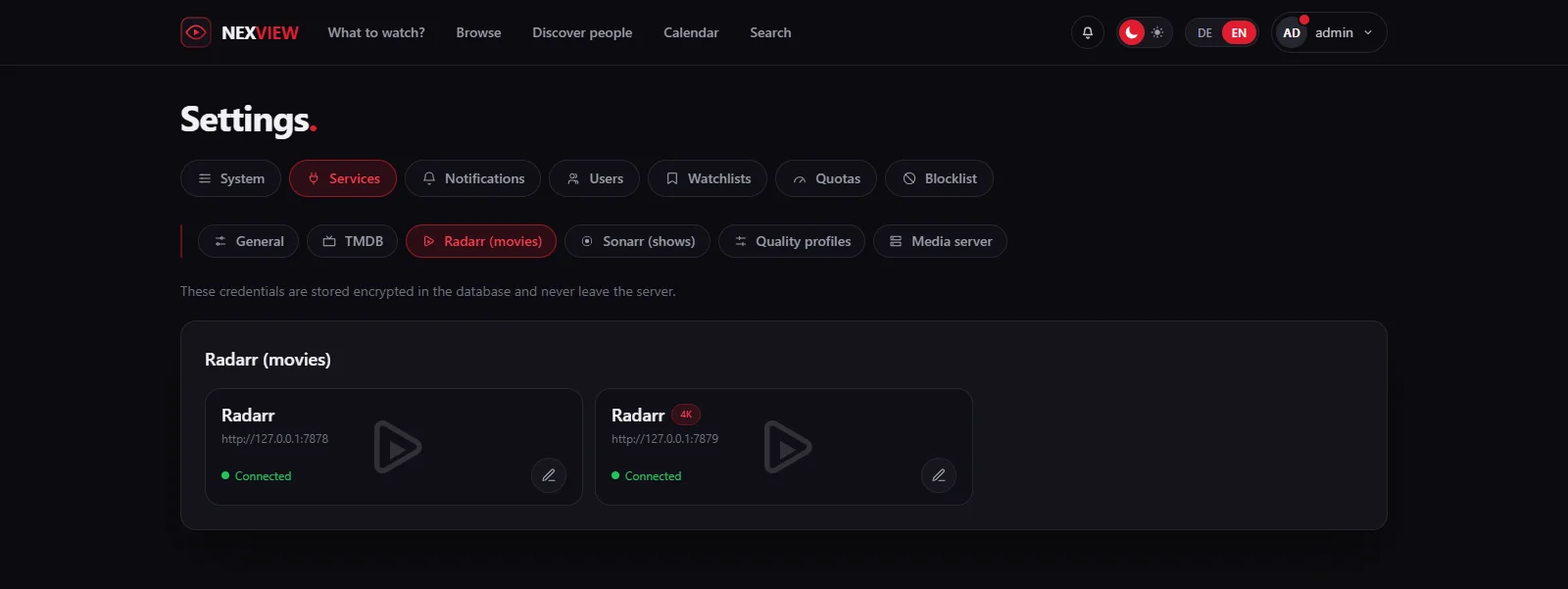
Radarr, Radarr 4K, Sonarr, Sonarr 4K: every instance stands as a tile of its own with its address and its state. A click opens the form below it, and what applies to both is shown once above rather than twice beside. The credentials are stored encrypted in the database and never leave the server. When an instance is removed, Nexview says beforehand what depends on it.
If two instances share the same category in the download client, each grabs the downloads of the other. Requests stay on “downloading”, files land in the wrong library, and no error appears anywhere, which is why the search usually starts with the network. Radarr cannot warn about this, it knows nothing of the second instance. Nexview does, and reports it under “Services”. The category has to be created in the download client itself. If you share on purpose, click “This is intended”, and a further instance on the same category reports again.
Honestly
What this part is not.
Quality profiles, naming, inventory and link-back exist only when running with Radarr and Sonarr. With nexcrate you set profiles and folders in nexcrate.
Nexview manages the profiles it created. Your own profiles in Radarr and Sonarr stay untouched and appear only in the inventory.
Nexview does not delete a profile that titles are assigned to. Even when it stops managing a profile, it stays on the instance.
Whoever has existing files renamed can only stop it in Radarr itself. The folder format does not change existing folders.