
Rules
The first rule that matches decides
A rule is a handful of conditions and one consequence: approve at once, or decline.
Jump there →
The first rule that matches decides
A rule is a handful of conditions and one consequence: approve at once, or decline.
Jump there →
How a rule recognises a title
Type, genre, rating, number of votes, release year, runtime, original language, age rating, the requested quality tier, and whether the title is already here in the other tier.
Jump there →
The first rule that matches decides
A rule is a handful of conditions and one consequence: approve at once, or decline.
Jump there →
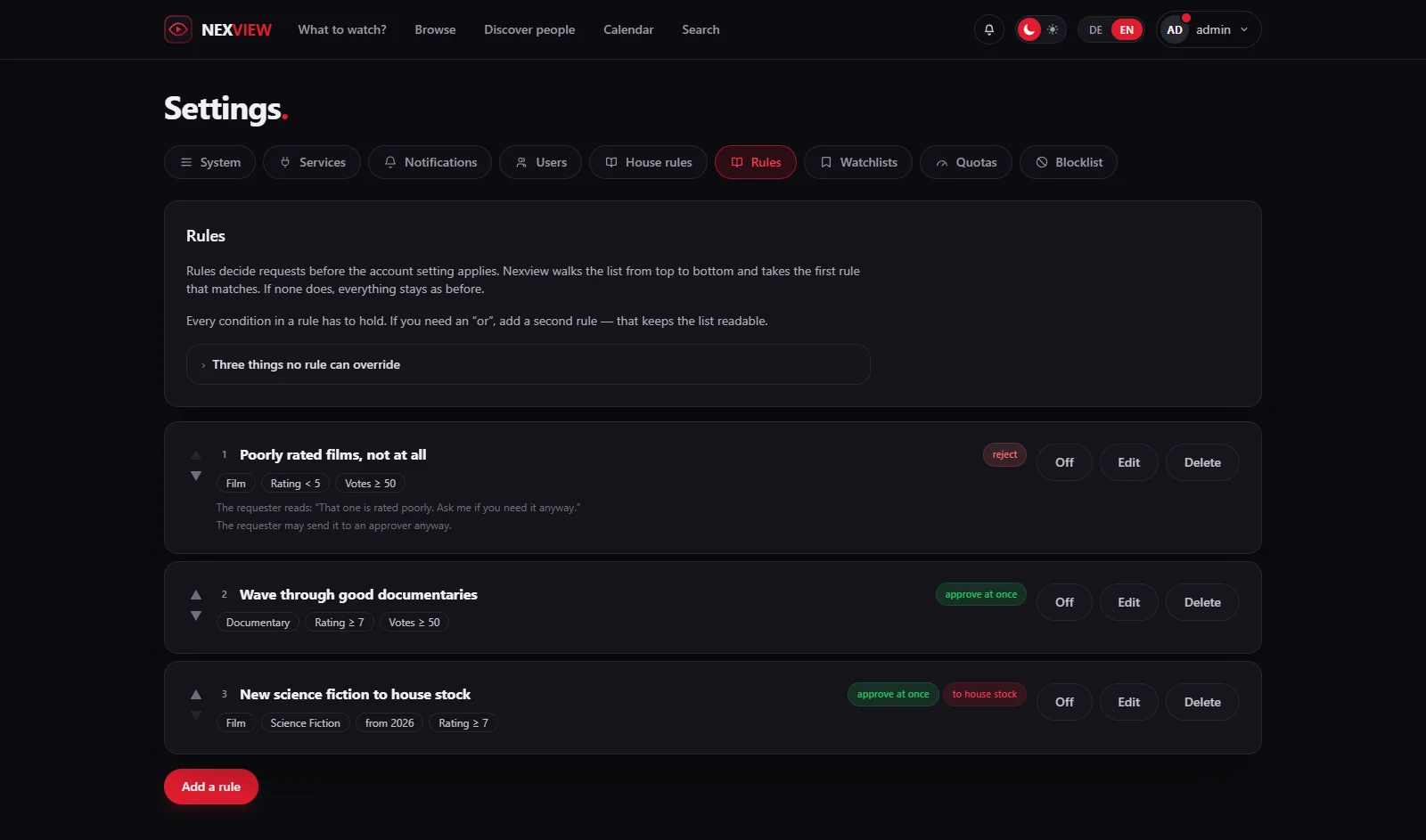
Most requests get the same answer every time. A well-rated documentary? Yes. A film with 3.8 out of two thousand votes? Probably not. Doing that by hand three times a week is no longer deciding, it is executing a rule. So write the rule down.
A rule is a handful of conditions and one consequence: approve at once, or decline. Nexview walks the list from top to bottom and takes the first one that matches. If none does, everything stays as before.
Every condition in a rule has to hold. If you need an “or”, add a second rule. That is not thrift: it is what makes each rule a closed range, and the only reason Nexview can work out whether two of them contradict each other at all. Where one rule overtakes another, the list says so and offers a click to reorder.
Order is therefore part of the meaning, not decoration. A rule that forbids something only works above the ones that allow.
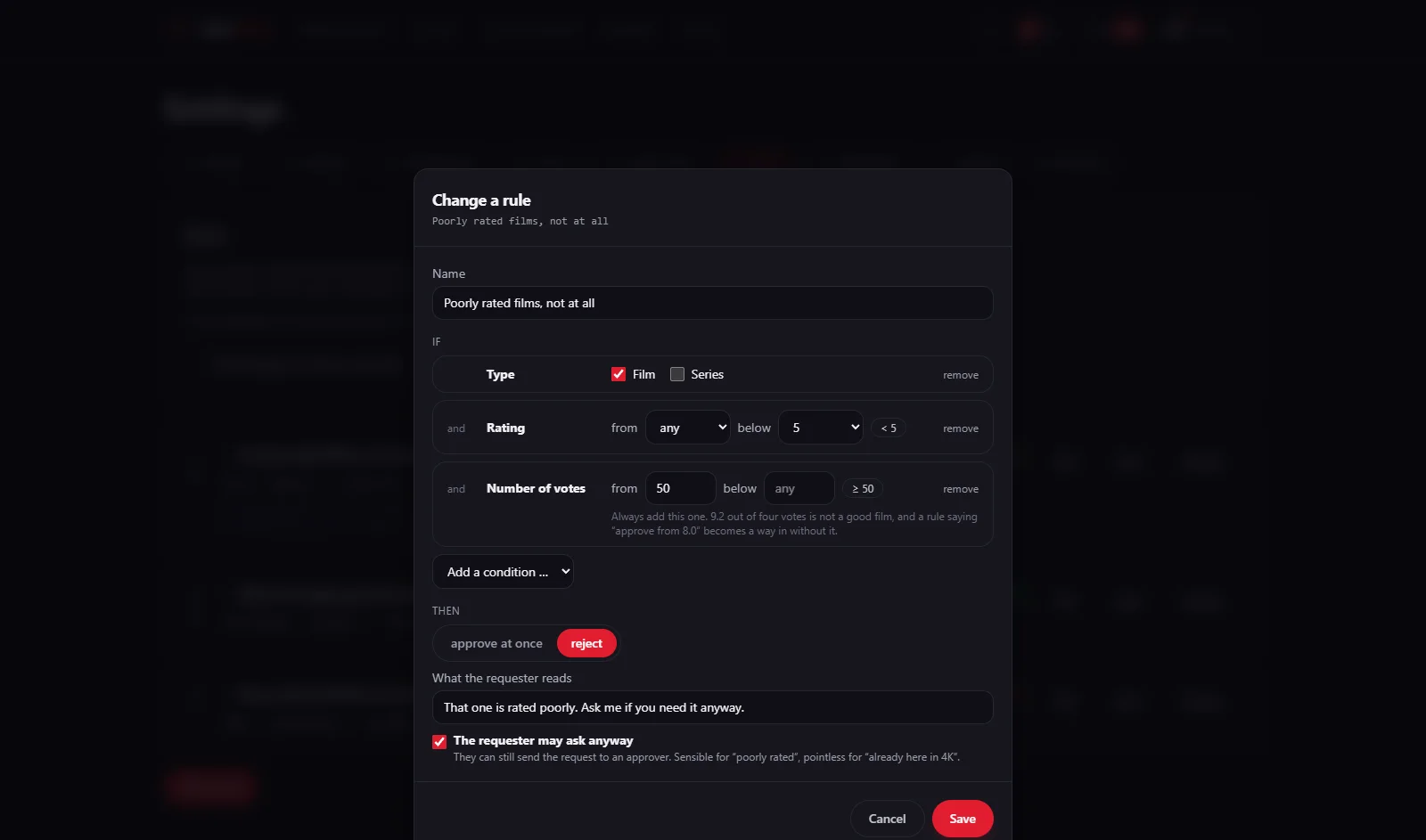
Type, genre, rating, number of votes, release year, runtime, original language, age rating, the requested quality tier, and whether the title is already here in the other tier. That last one closes a gap that had no answer until now: the same film in HD and in 4K are two files in two folders, and nothing stopped the second one.
Rating and age rating are picked rather than typed, there is no difference between 7.3 and 7.4 that a rule should act on. And “to” only offers what lies above “from”: an empty range cannot be clicked together in the first place.
The number of votes belongs in almost every rule. 9.2 out of four votes is not a good film, and a rule saying “approve from 8.0” becomes a way in without that condition.
The request is still created, in the declined state, with the reason you wrote into the rule, and with the rule's name in its history. The requester is notified the same way a decision by hand would notify them, and reads the reason at the moment of the click rather than finding it later.
Per rule you can allow them to send it to an approver anyway, once, and never past a no that a person has spoken. The approver then sees a badge saying a rule had declined it. That is information, not a hurdle.
A declined request blocks the title for nobody and costs no quota.
The age filter. It acts when listing, not when requesting: what an account cannot see, it cannot request. So a rule saying “approve everything from 2026” gives a child no title it is not allowed to see.
The parents' decision. A child's wish is not a request. Only once a parent approves does anything run at all, and a rule cannot turn that yes into a no without saying so.
The requester's quota. It is checked before the rules and wins, even against a rule that would have booked the title to house stock. Otherwise the same request would come out differently depending on the rule list, and a quota would stop being a limit.
For you and for your approvers, rules do not apply at all, exactly like the block list. They are meant to slow the others down, not you.
⚠️ What Seerr and Ombi do here. Seerr has rules with conditions, but they change quality profile, root folder and tags, never the decision; criteria-based approval is an open ticket there. Ombi only knows roles such as “Auto Approve Movie”, which apply to every request from that person regardless of the title.