Running it · Chapter 16
Moving from Seerr.
Whoever runs Seerr has years of settings and accounts there. On first start Nexview therefore offers a third way beside “Start fresh” and “Restore from a backup”: “From a running Seerr installation”. Nexview reads Seerr through its interface, shows area by area what it found, and at the end writes in one go what you ticked. Seerr itself is left untouched. Twelve steps, most of them skippable.
Beforehand
- The way runs only into an empty installation. The wizard shows itself only while there is no account yet. There is no migration into a running installation: Nexview cannot merge two accounts of the same person, and that would have been the most common result there.
- Nothing is preselected. Every area costs a deliberate tick, and an area without a tick is skipped.
- Nothing is written until the end. Every click before that is without consequence.
- With nexcrate. The migration takes over Radarr and Sonarr. If you want to procure with nexcrate afterwards, use the switch described in the chapter nexcrate or Radarr and Sonarr.
Step 1: Connect, read only
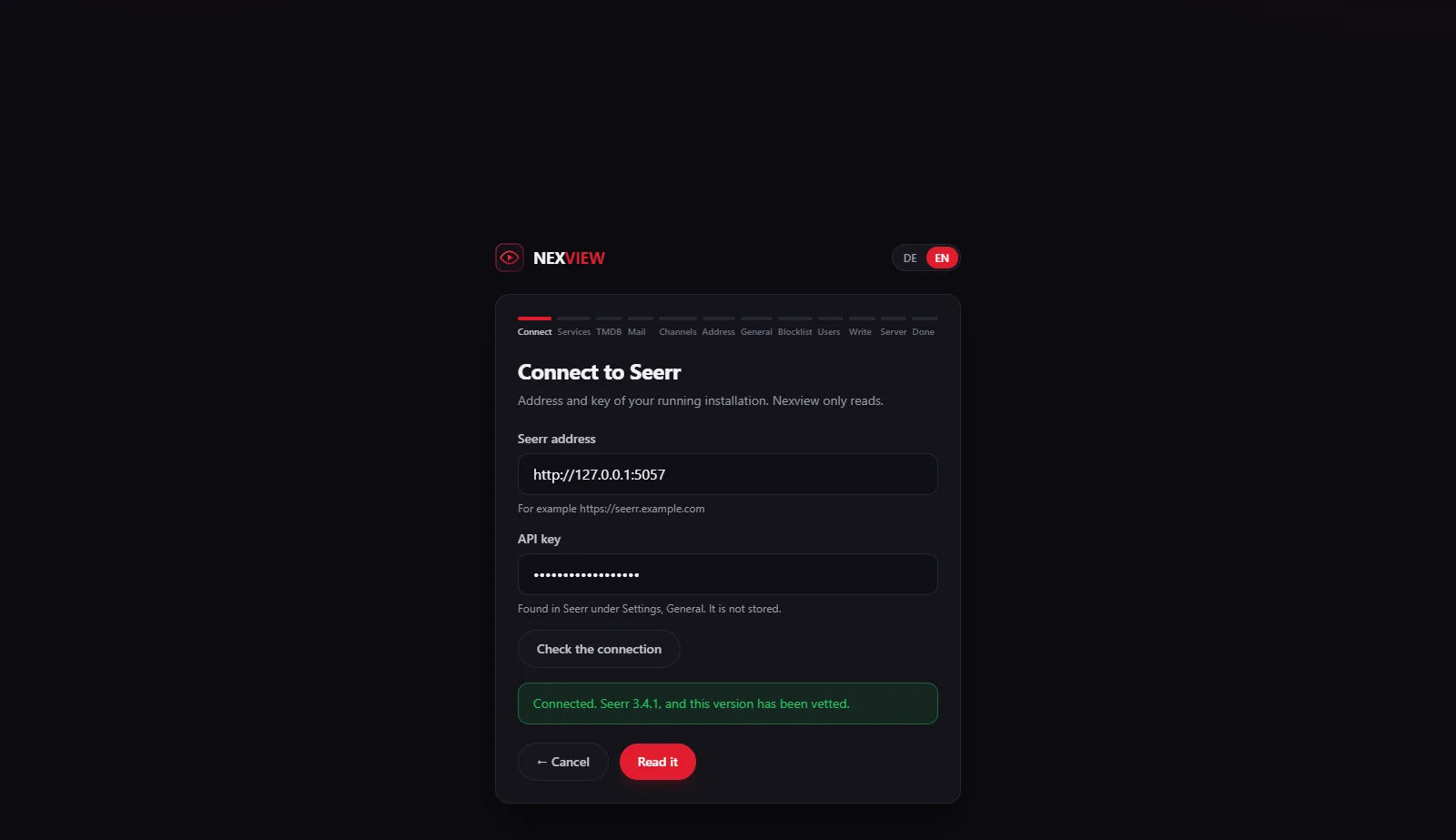
Enter the “Seerr address” and the “API key” of your installation. You find the key in Seerr under “Settings, General”. “Check the connection” asks Seerr and reports the version, and “Read it” moves on. Nexview checks the key with a second call, because Seerr’s status address lets anybody in.
The migration is tested against Seerr 3.0 to 3.5.0. A newer version does not stop it, it carries on with a note, because nothing is written until after the preview. Only versions before 3.0 are turned away. The key is not stored, it lives for the length of the wizard. Seerr’s key acts as administrator over there and could delete too, so Nexview calls only a fixed list of reading addresses and no others.
Step 2: Radarr and Sonarr, one tick per slot
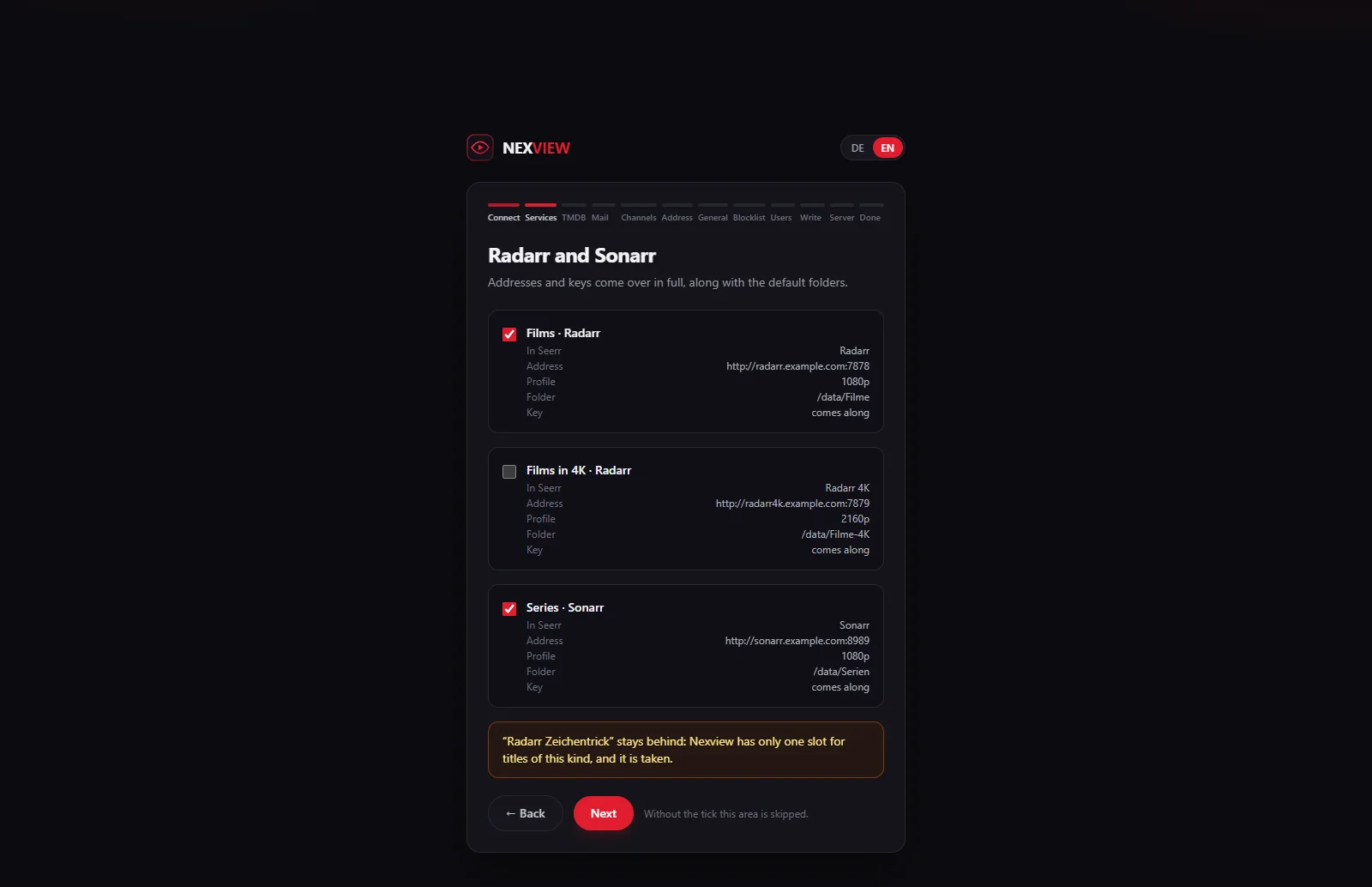
Addresses, keys, default folders and profiles come over in full. Nexview has four slots: movies and series, each normal and 4K. Seerr can run any number of instances. For each slot the wizard takes the instance marked as default and names the one that stays out, with the reason that the slot is taken. Instances kept as “4K” in Seerr land in the 4K slot.
Steps 3 to 8: the rest of the settings
- TMDB. The one value Seerr does not have, because there the key is baked into the program. Enter it here or skip the step and add it later in the settings. Without it the search finds no titles.
- Mail. The mail server comes along with its password, even if Seerr has switched sending off. Whether Nexview sends is for you to decide.
- Channels. Discord, Telegram, Gotify, ntfy and webhooks come along with their credentials. What gets reported through them you set up afterwards, because Nexview knows different notifications than Seerr.
- Address. Seerr’s own address is deliberately not taken over, it points to Seerr. Taking it over would mean linking every invitation mail to the old application. Here you enter Nexview’s address or add it later.
- House defaults. Region and language and the quota default for accounts created afterwards, two ticks because those are two decisions. A 0 that meant “no limit” in Seerr leaves the house default empty.
- Blocklist. The cleanest case of the whole migration: five of six fields match one to one. For the labels Seerr also blocks Nexview has no counterpart, the titles come along anyway.
Step 9: Who comes along, and as what
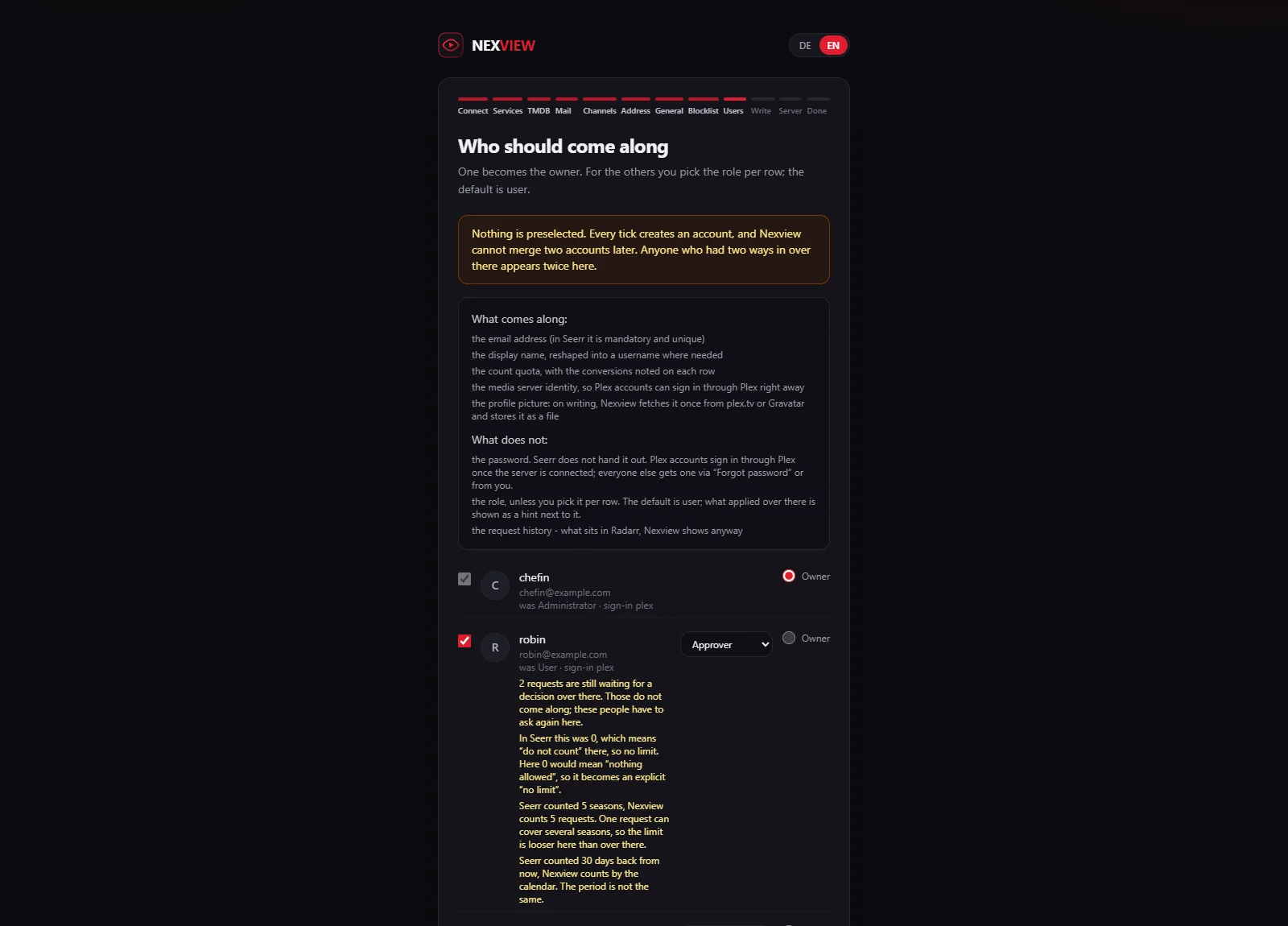
One of the Seerr accounts becomes the owner, with a password you set here. For everyone else you tick who comes along and choose the role per row. The default is “User”. What the person was in Seerr is shown as a hint beside it. Whoever had two administrators can have two again, but has to say so twice.
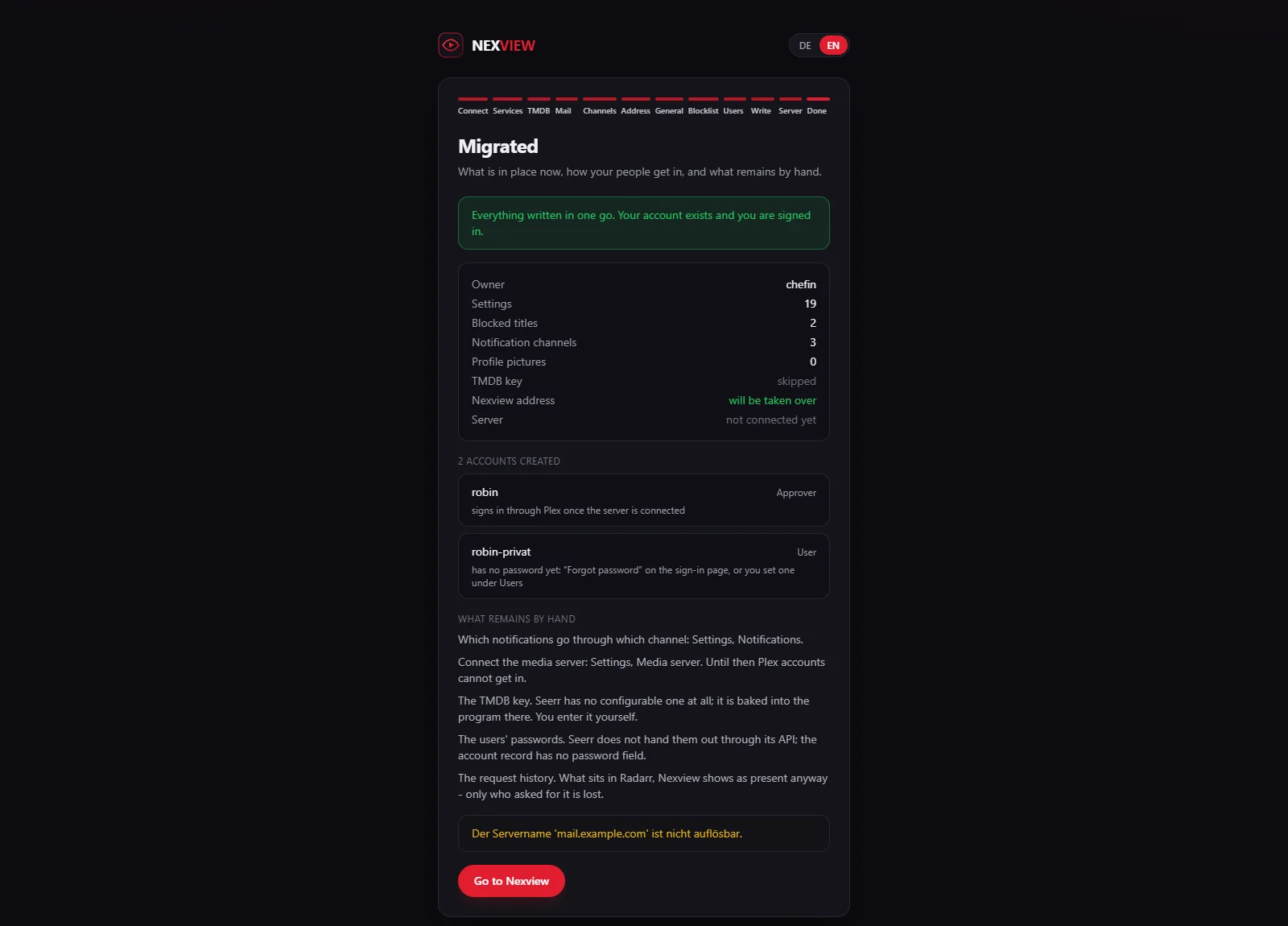
Each account brings display name, a username formed from it, the count quota, its own region and language, the profile picture and its Plex, Jellyfin or Emby identity. The conversions are shown on the row: Seerr’s 0 means “do not count” there and becomes an explicit “no limit”. Seerr counts seasons for shows, Nexview counts requests, so the limit is looser here. Seerr counted 30 days back, Nexview counts by the calendar. Passwords Seerr does not hand out. Plex accounts sign in through Plex once the server is connected. Everyone else gets one through “Forgot your password?” or from you.
Step 10: Everything in one go, or nothing
Nothing has been written up to here. The summary shows per area whether it comes (“will be taken over”) or is skipped. With “Run the migration” settings, blocklist, channels, owner and accounts land in a single transaction. If anything fails, the database stays empty, and the wizard still stands where it stood. After that the setup is complete and you are signed in as owner. Nexview fetches the profile pictures once after writing, from plex.tv or Gravatar, and stores them as a file. A picture that does not come is a missing picture, not a failed migration.
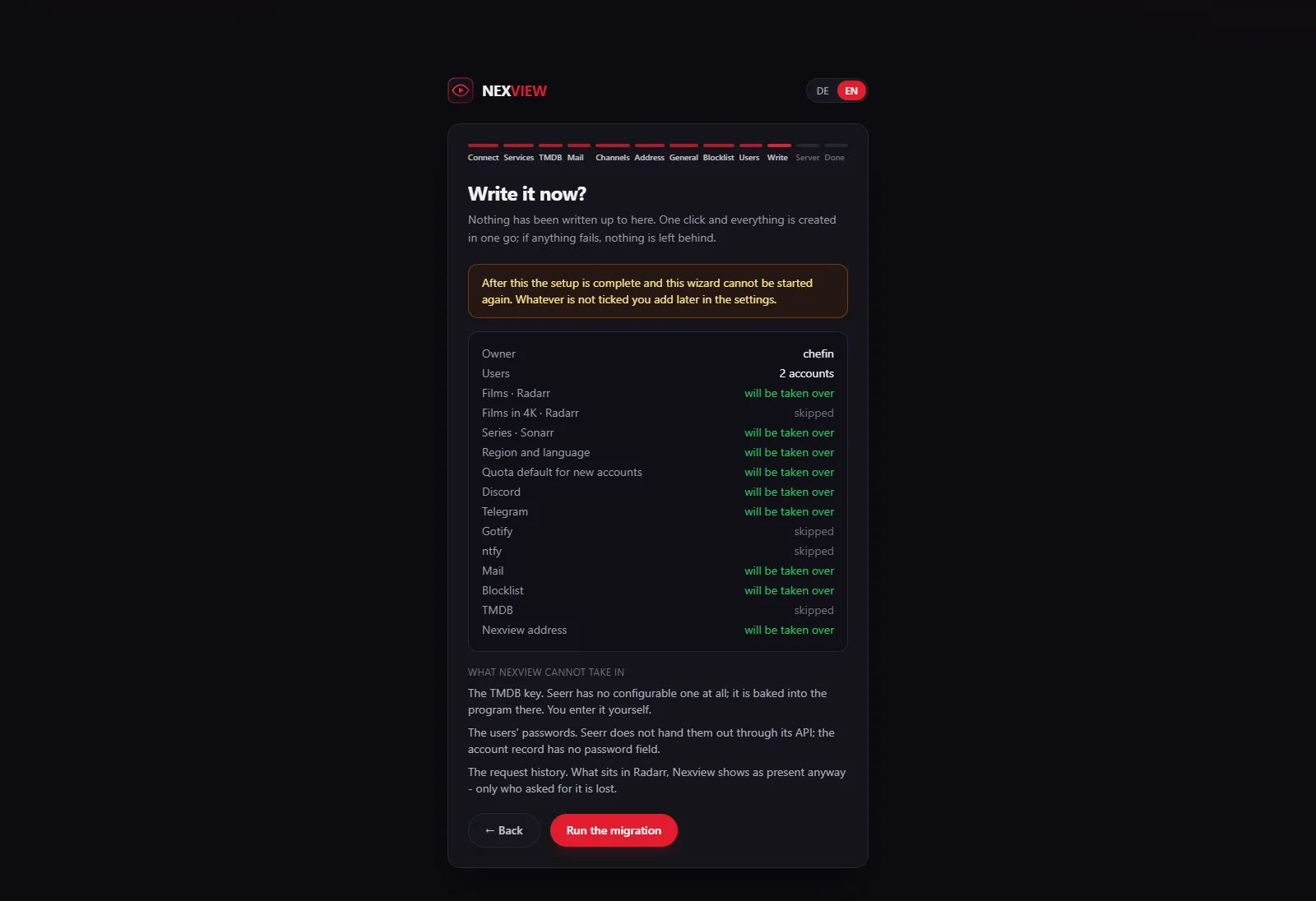
There is no way back afterwards: the wizard shows itself only in an empty installation. What was not ticked you add in the settings, what was ticked stands.
Step 11: The media server comes last
Connecting needs a signed-in account, and that exists only after writing. With Plex it goes through the usual code at plex.tv (“Sign in with Plex”). The server Seerr used is marked in the list, so choose it again and the migrated links fit. With Jellyfin and Emby it goes through address and administrator sign-in, with the address from Seerr pre-filled. Seerr hands out the token for none of the three. The step can be skipped (“Continue without a media server”) and picked up in the settings, though until then Plex accounts cannot get in.
Step 12: The report at the end
The report says what was written, how each person gets in, which rows stayed out and why, and what remains by hand. For each account it says whether it signs in through Plex or still needs a password.
What the migration does not promise
- The request history. What sits in Radarr and Sonarr Nexview shows as present anyway. Only who asked for it would come along, and from that Nexview would charge nobody storage retroactively. Everything that exists stays house stock. Open requests still waiting for a decision in Seerr do not come along, people request them again.
- Passwords, watchlists, personal notification addresses, Seerr’s target rules and home-page rows. None of that has a place in Nexview. The wizard says so at the spot where you would otherwise have noticed it later.
- Seerr’s own address to the outside. It points to Seerr, Nexview asks for its own.
- Which notifications go through which channel. You set that up afterwards under “Settings › Notifications”.
Good to knowIf you have trouble with a Seerr version the migration does not know, report it as an issue on GitHub. The wizard also tells you itself when it cannot read a version or finds a newer one.
That completes the guide. How to set Nexview up on your server is on the Self-host page, and what Nexview does differently from Seerr and Ombi is on the Comparison page.